FREE CV TEMPLATES

Free CV Template in Word for Jobs in Pakistan

Need a CV format in Word that you can download, fill in and send today? Here are three free CV templates made for jobs in Pakistan and the Gulf. No sign-up, no watermark, just a clean Word file that opens on your laptop or phone.

Each template uses a simple single-column layout, so applicant tracking systems (ATS), the software that many employers and job portals use to sort CVs, can read every line.

No sign-up No watermark ATS-friendly single column Word (.docx), A4

Download your free CV template

Pick the one that fits you. Each file is one page, A4, and opens in Word or Google Docs.

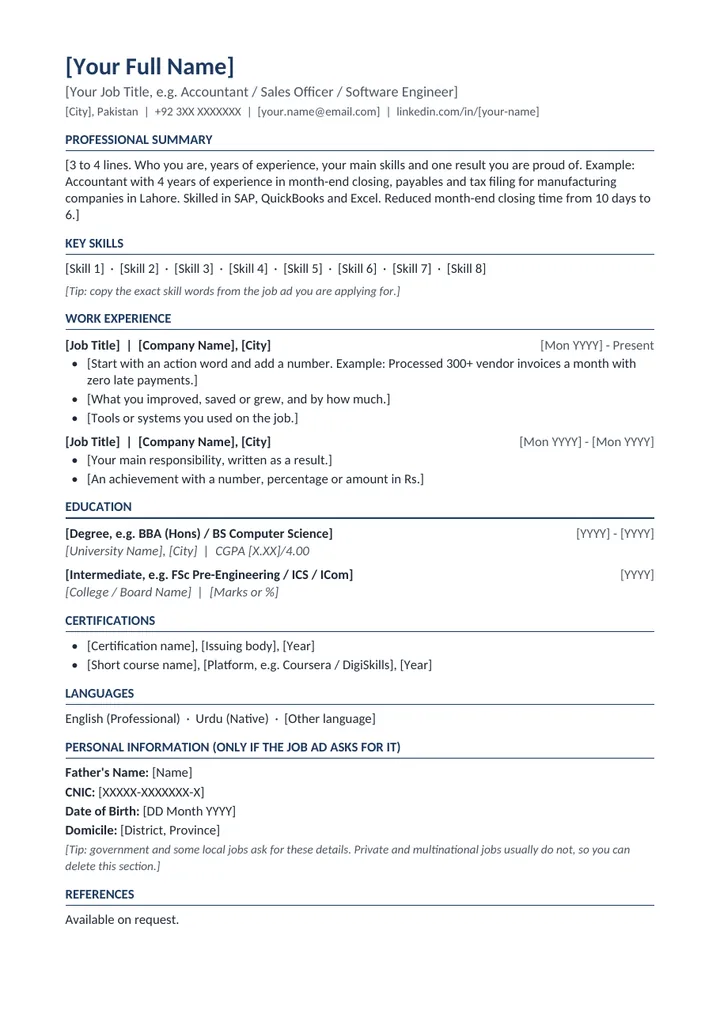
ExperiencedPreview of the free CV template in Word for jobs in Pakistan

CV template for jobs in Pakistan (Word)

For: anyone with work experience applying to private, multinational or government jobs in Pakistan.

Inside: professional summary, key skills, work experience written as results, education, certifications, languages, and an optional Personal Information section (father's name, CNIC, date of birth, domicile) for jobs that ask for it.

One page, A4.docx10 KB
Download Word file (.docx)
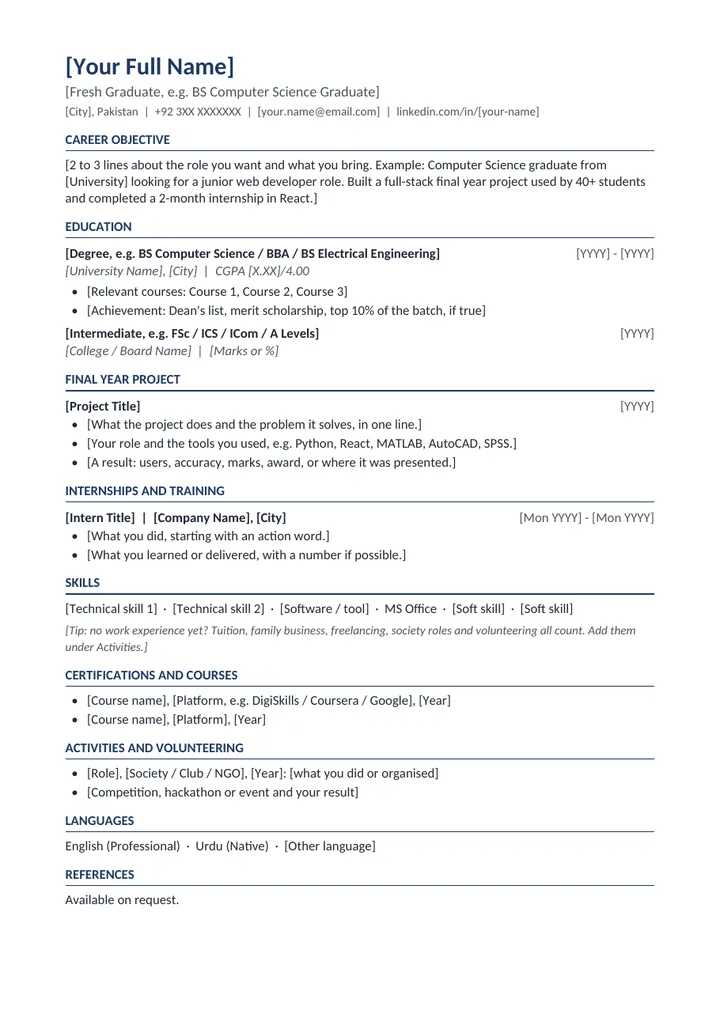
Fresh graduatePreview of the free CV template in Word for fresh graduates

CV template for fresh graduates (Word)

For: students and fresh graduates with little or no work experience.

Inside: career objective, education first (with CGPA and relevant courses), final year project, internships, skills, short courses, activities and volunteering.

One page, A4.docx10 KB
Download Word file (.docx)
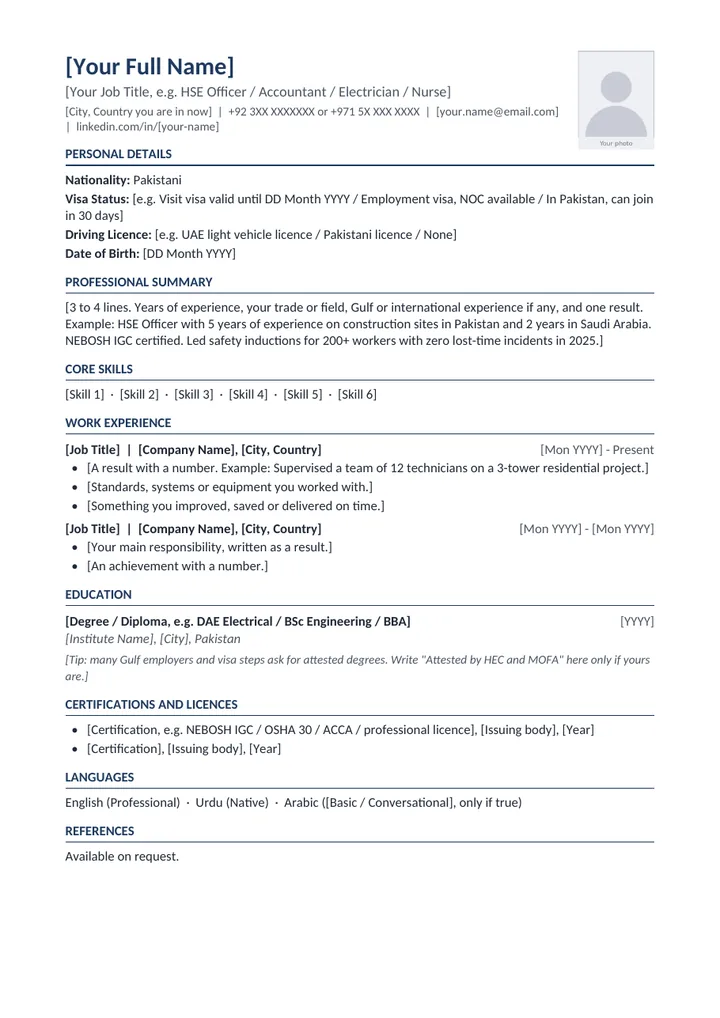
Gulf, with photoPreview of the free Gulf CV template in Word with a photo box

Gulf CV template with photo (Word)

For: jobs in the UAE, Saudi Arabia, Qatar and other Gulf countries.

Inside: a passport-style photo box, then nationality, visa status and driving licence near the top, where Gulf recruiters look first. Plus summary, core skills, work experience, education with a tip on degree attestation, certifications and languages.

One page, A4.docx15 KB
Download Word file (.docx)

Want a ready-to-send CV without filling in a template?

Cvalto's CV maker writes it for you in a few minutes, from your old CV or from scratch, in the right format for Pakistan, the UAE, Saudi Arabia or Qatar. Your first preview is free, and a ready-to-send PDF starts from Rs 500.

Create my CV

How to fill in your CV template in 5 steps

  1. Open the file in Microsoft Word or Google Docs.

    Both open .docx files. On your phone, the free Word or Google Docs app works too.

  2. Replace everything in [brackets] with your own details.

    The grey tips in italics are there to help you. Delete them before you send your CV.

  3. Write results, not duties.

    "Responsible for sales" tells a recruiter very little. "Grew monthly sales in my area from Rs 8 lakh to Rs 11 lakh in one year" tells them what you can do. Add a number wherever you honestly can.

  4. Match the job ad.

    Read the ad and use its exact words in your skills and bullet points, if they are true for you. If the ad says "accounts payable", write "accounts payable", not just "accounts".

  5. Save it as a PDF and name it properly.

    In Word, use File, then Save As, and choose PDF. Name it like "Ayesha-Khan-CV.pdf". Send Word only when the employer asks for Word.

Which CV format is best for jobs in Pakistan?

For most jobs, the best format is the one these templates use: your newest job first, one column, clear headings, and one to two pages. Fresh graduates should put education first, because that is their strongest section. Government jobs often ask for personal details like CNIC and domicile, which is why the Pakistan template has an optional section for them. Gulf jobs usually expect your nationality and visa status at the top. A photo is common there too: usually expected in Saudi Arabia, optional for most corporate roles in the UAE and Qatar.

Want the full guide, with every section explained and examples? Read CV Format in Pakistan 2026: How to Make a CV for a Job.

Should I send my CV in Word or PDF?

Send a PDF unless the employer asks for Word. A PDF keeps your layout the same on every screen. That is why these templates come in Word: you edit them easily, then save a PDF to send. One rule matters more than the format: your CV must be real text. A scanned page or a photo of a printed CV cannot be read by ATS software at all.

Template or CV maker: which is faster?

A template gives you the layout. You still write every line yourself. If you would rather not start from a blank page, the Cvalto CV maker builds a clean, ATS-friendly CV for you in a few minutes.

Free Word template

You write it, we give the layout

  • A clean, single-column layout that ATS software can read
  • You still write every line yourself
  • Free download, no sign-up
Download a template

Cvalto CV maker

Cvalto writes it for you

  • Builds your CV in a few minutes, from your old CV or from a short description of your experience
  • In the right format for Pakistan, the UAE, Saudi Arabia or Qatar
  • Your first CV preview is free. Downloading it as a PDF needs a pack, starting from Rs 500
Open the CV maker

Check your CV before you apply

Filled in your template? Upload it to Cvalto and see your ATS score, the keywords your CV is missing and how to fix them. Your first analysis is free. If you have a job ad in hand, use Job Match to see your score for that exact role.

Check my CV free

Frequently asked questions

Quick answers to common questions about CV templates and formats.

Still have a question? See our Help page or contact us.

How do I make a CV for freshers in Word?

Download the fresh graduate template above and open it in Word. Put your education first, then your final year project, internships, short courses and activities. Tuition, family business work, freelancing and society roles all count as experience. Keep it to one page and save it as a PDF before you send it.

Need help?